Anon Chain

Zero Knowledge Absolute Privacy

zktsunami

Mixer Dapp

How To Use The Mixer

DEPOSIT
Step 1
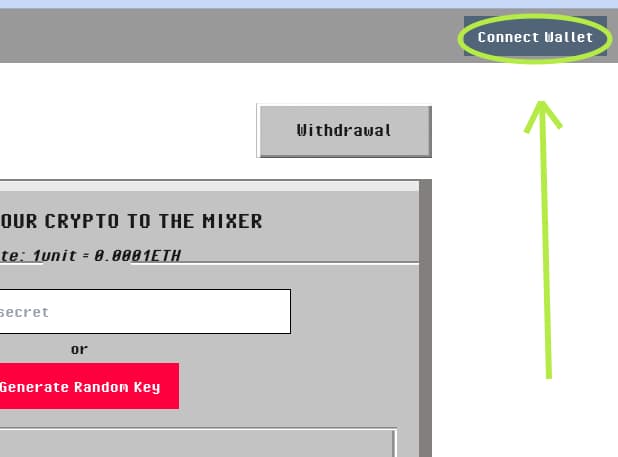
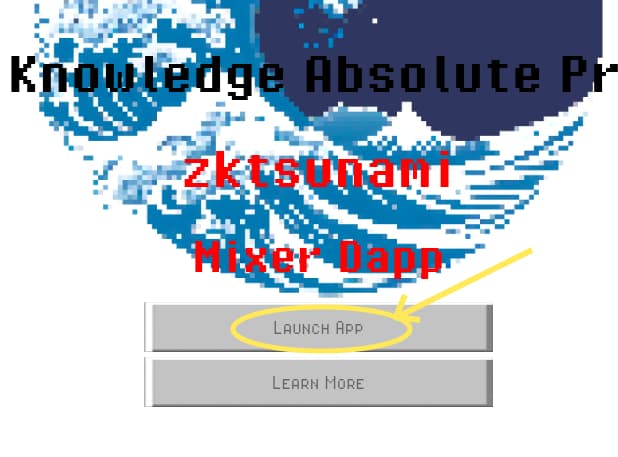
launch app step 1
Go to app by clicking launch app
Step 2
Connect Wallet step 2
Connect your wallet to the dapp
Step 3
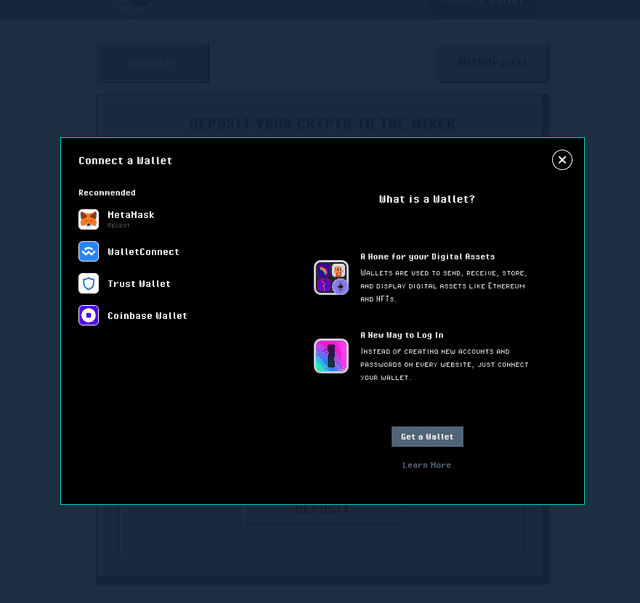
Select Wallet Provider step 3
Select your appropraite wallet provider
Step 4
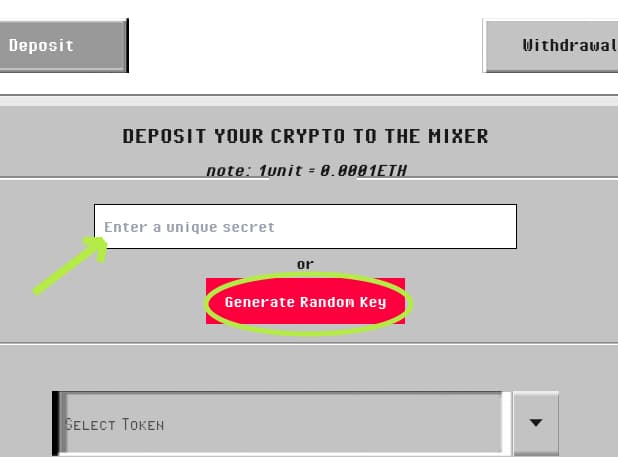
Secret Key gen step 4
Enter a unique key or generate one, ensure your key is strong and random
Step 5
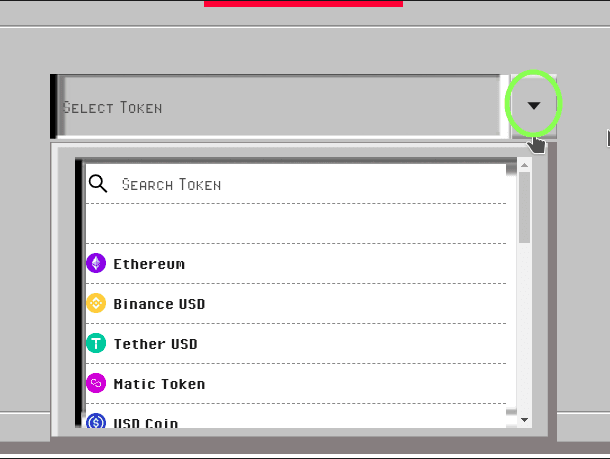
Select Your Deposit Token step 5
Select the token you want to deposit
Step 6
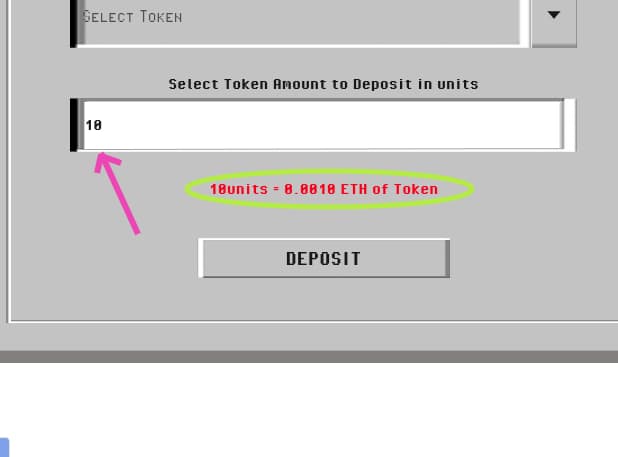
Enter Amount Units step 6
Enter the amount you want to deposit, we offer our deposit amounts in units where 1 unit = 0.0001 ETH worth of any token, this means 10 units of USDT token would be 0.01 ETH worth of USDT, ETH is used as our base currency
Step 7
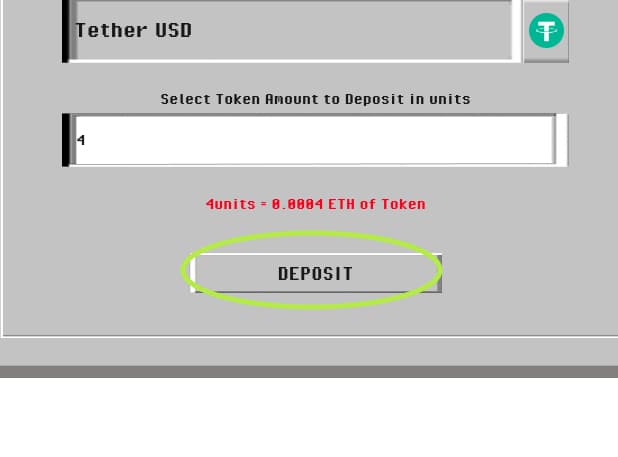
Deposit And Wait step 7
Click deposit and wait as this process may take from a few seconds to 5 minutes to complete
Step 8
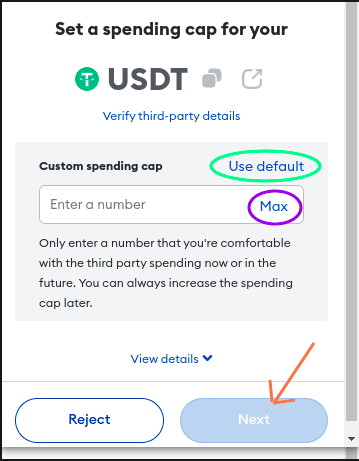
Token Spending Approval step 8
You would get an approval request from your wallet, this is to approve the equivalent amount of tokens, base on the amount of ETH you specified in the unit input, for the mixer to spend, you can select "Use Default" to only be allowed to spend the amount you want to deposit from your wallet, or select "Max" to allow the mixer to spend all of your specified token amount in your wallet ( the mixer will only take what it needs and not the entire amount you have specified ), then click "Next" and approve the spending
' Note the approval request will not show if you are using ethereum as your deposit token you would be ask to make a simple transfer confirmation '
Step 9
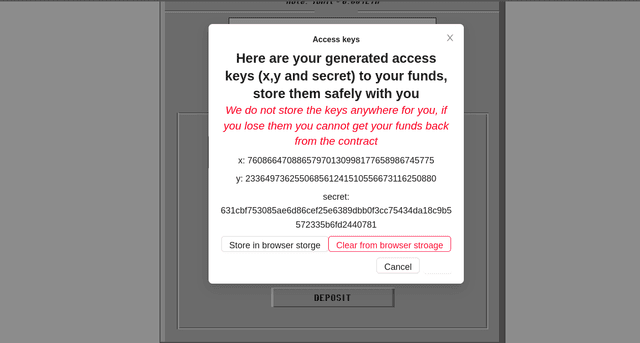
X,Y and Secret Keys step 9
Once the transaction is completed you will receive 3 keys, x , y and secret, these must be stored safely, you have the option to store them in your browser storage and when done with them you can clear them, these keys would be used to verify yourself when you want to withdraw your money from the mixer

Withdrawal

Step 1
launch app step 1
Go to app by clicking launch app
Step 2
Connect Wallet step 2
Connect your wallet to the dapp
Step 3
Select Wallet Provider step 3
Select your appropraite wallet provider
Step 4
Switch to withdrawal step 4
Switch to the withdrawal tab
Step 5
Fill in the inputs step 5
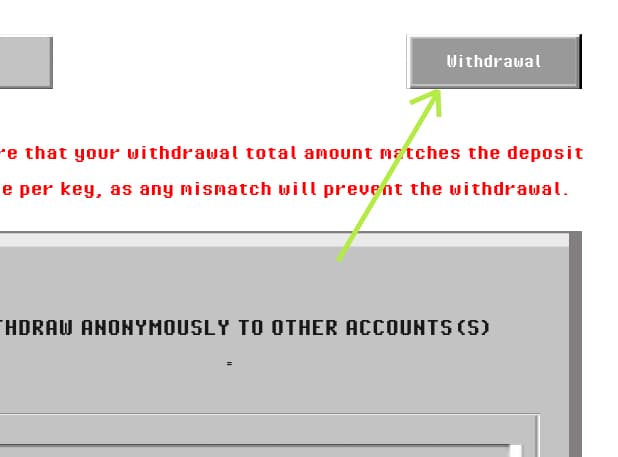
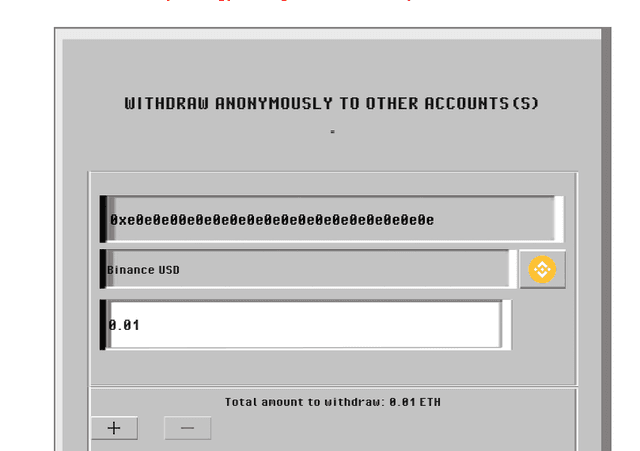
Fill in the inputs accordingly, the recipient address you want to withdraw to, in what token do you want the recieve your money, the amount you want to withdraw this value is not in units but in ETH directly, 'Note: Ensure the total amont you want to withdraw at a go is equal to the total amount you depoited'
Step 6
Fill in the inputs, with ultiple withdrawals step 6
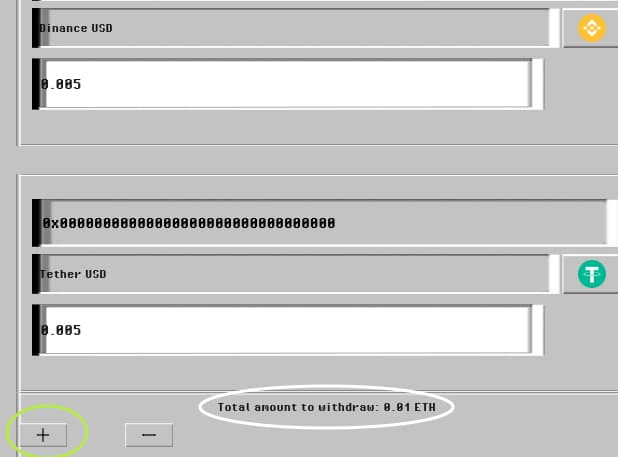
You can withdraw to multiple wallets in as various tokens, just click the "+" icon to add more input forms where you can fill in the details appropraitly, the maximum is 5, 'Remember to ensure your total of all the withdrawal matches the depoit amount, the total is displayed at the bottom for ease'
Step 7
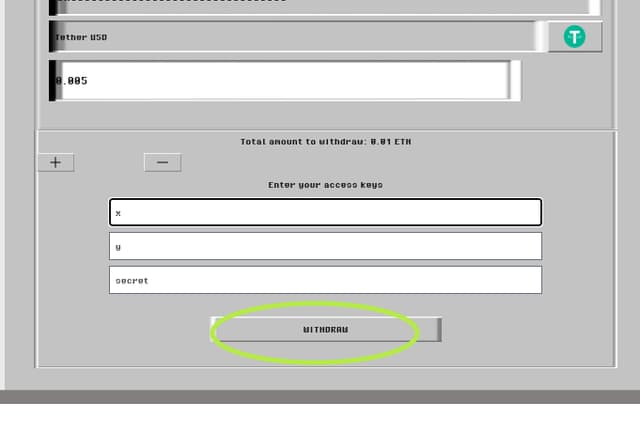
Input X,Y,Secret step 7
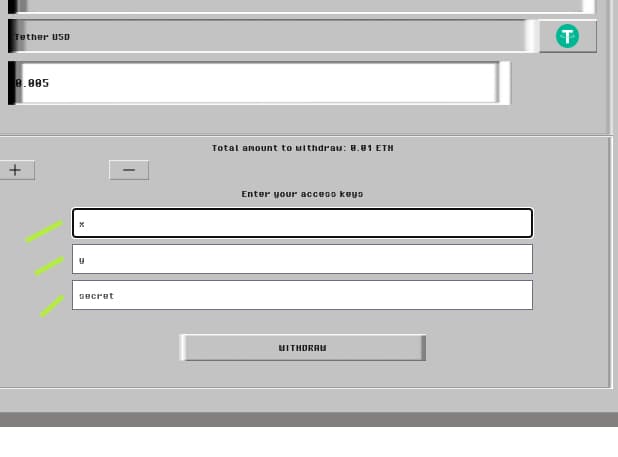
You are to fill the x, y, secret fields with the respective values given when you deposited
Step 8
Withdraw step 8
Click withdraw and wait a few seconds for the withdrawal to process
Step 9
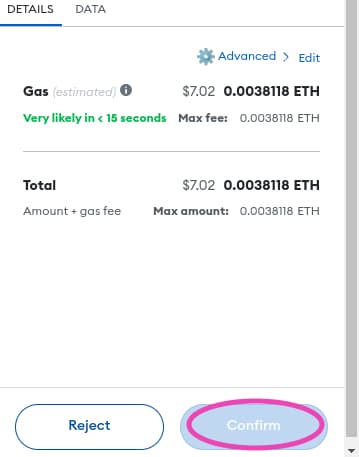
Fill in the inputs step 9
Confirm your wallet request and wait for confirmation that your withdrawal was successful

What can you do?

Deposit

Deposit your funds for later withdrawal or transfer to another address all done anonymously.
After Depositing you will receive keys which you must keep secret and safe as they are what you will use to verify your deposit and withdraw your money successfully

Withdraw

Deposit your funds for later withdrawal to multiple other addresses all done simultaneously with different choice of tokens
You would need to pass the keys you were given during deposit at withdrawal Ensure the total amount you withdraw at a go (per key) is equal to the total amount deposited of whose key you want to use


@copyrights reserved